

CodeCanyon
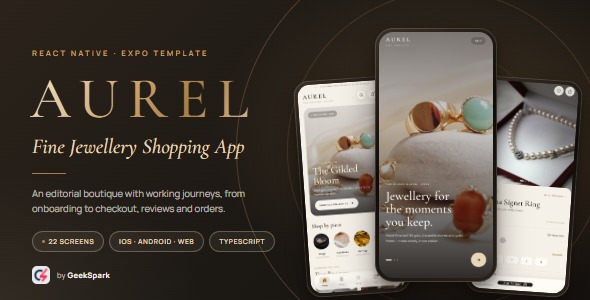
Aurel - Jewelry Store App | React Native Expo E-commerce UI Template
Jewelry Store App
$34.00
Buy on CodeCanyon
Item details
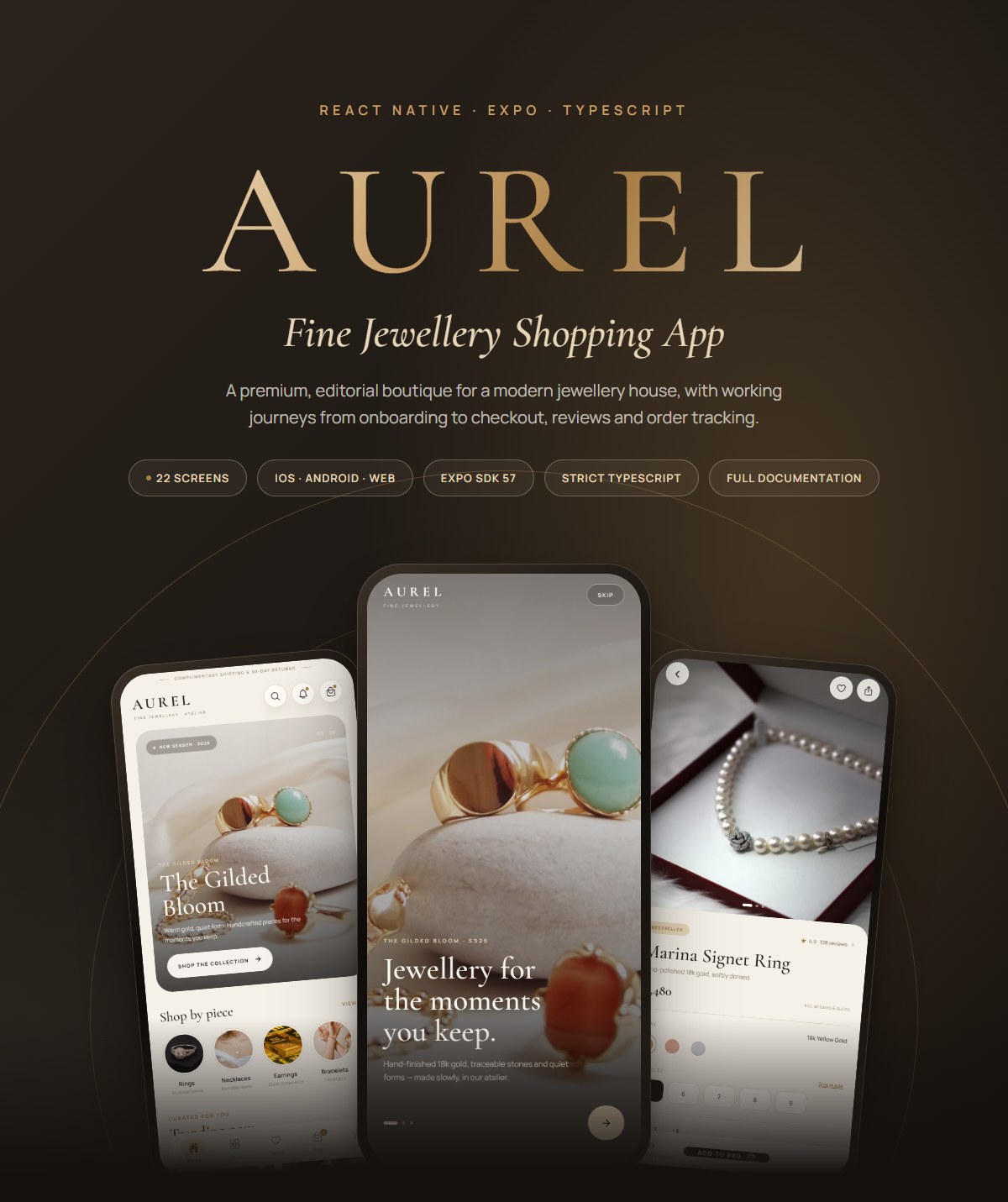
AUREL — Jewelry Store App for React Native & Expo
AUREL is a premium jewelry e-commerce UI template built with React Native, Expo SDK 57 and TypeScript. It pairs warm ivory, espresso and champagne gold with serif display typography, oversized photography and quiet motion to create a luxury shopping app that feels considered from the first screen to the order confirmation.
Unlike a collection of disconnected screens, AUREL ships with working end-to-end journeys: onboarding, search, product storytelling, reviews, wishlist, bag, a three-step checkout, order confirmation, order tracking and a full account area. One codebase runs on iOS, Android and web.
Try the demo
Email: amara@aurel.studio
Password: any 6 or more characters
Promotion code: AUREL10 for 10% off
Open the bag for a pre-seeded piece and take the complete checkout flow. Sign out from Profile to preview the guest state.
Highlights
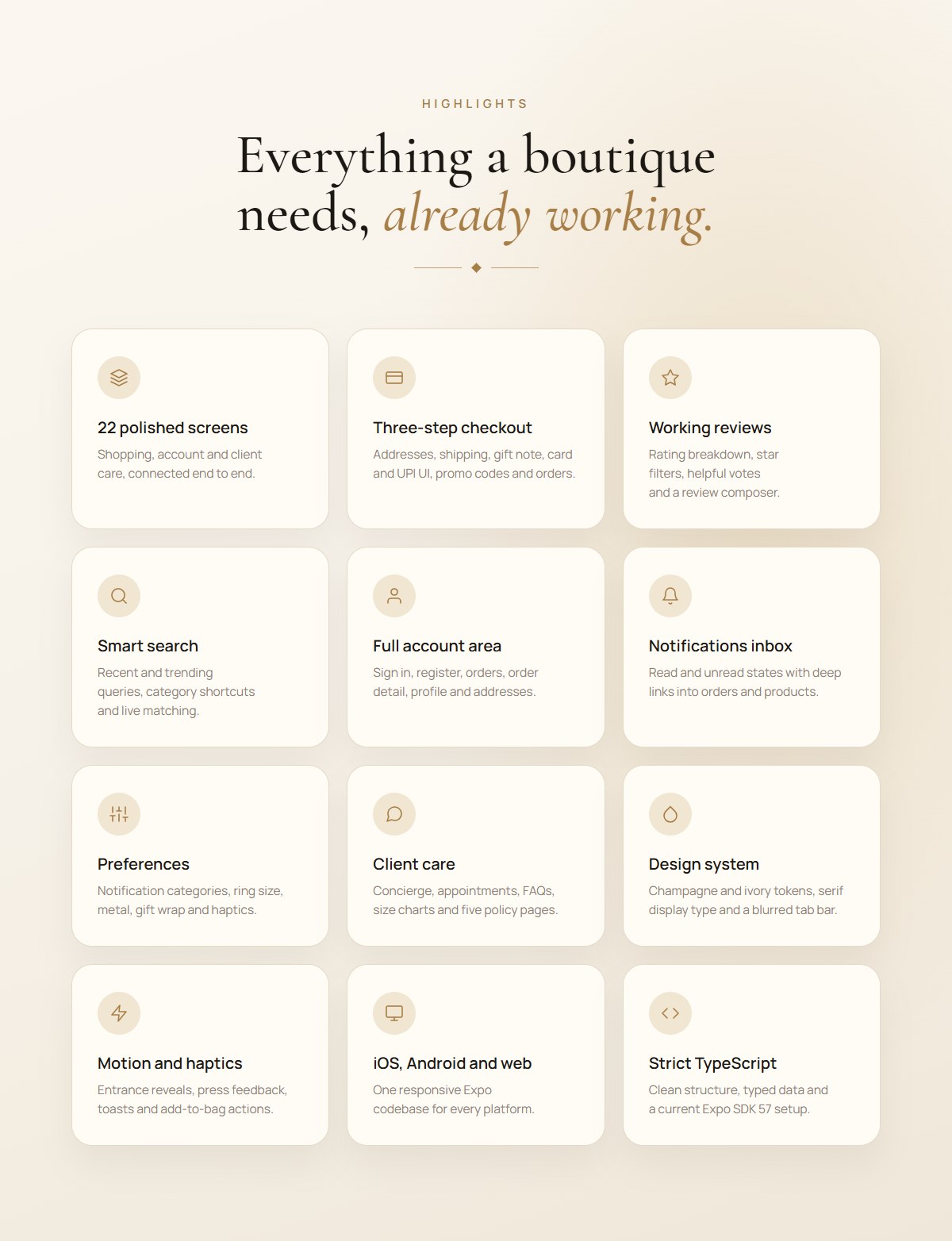
- 22 polished screens across shopping, account and client care
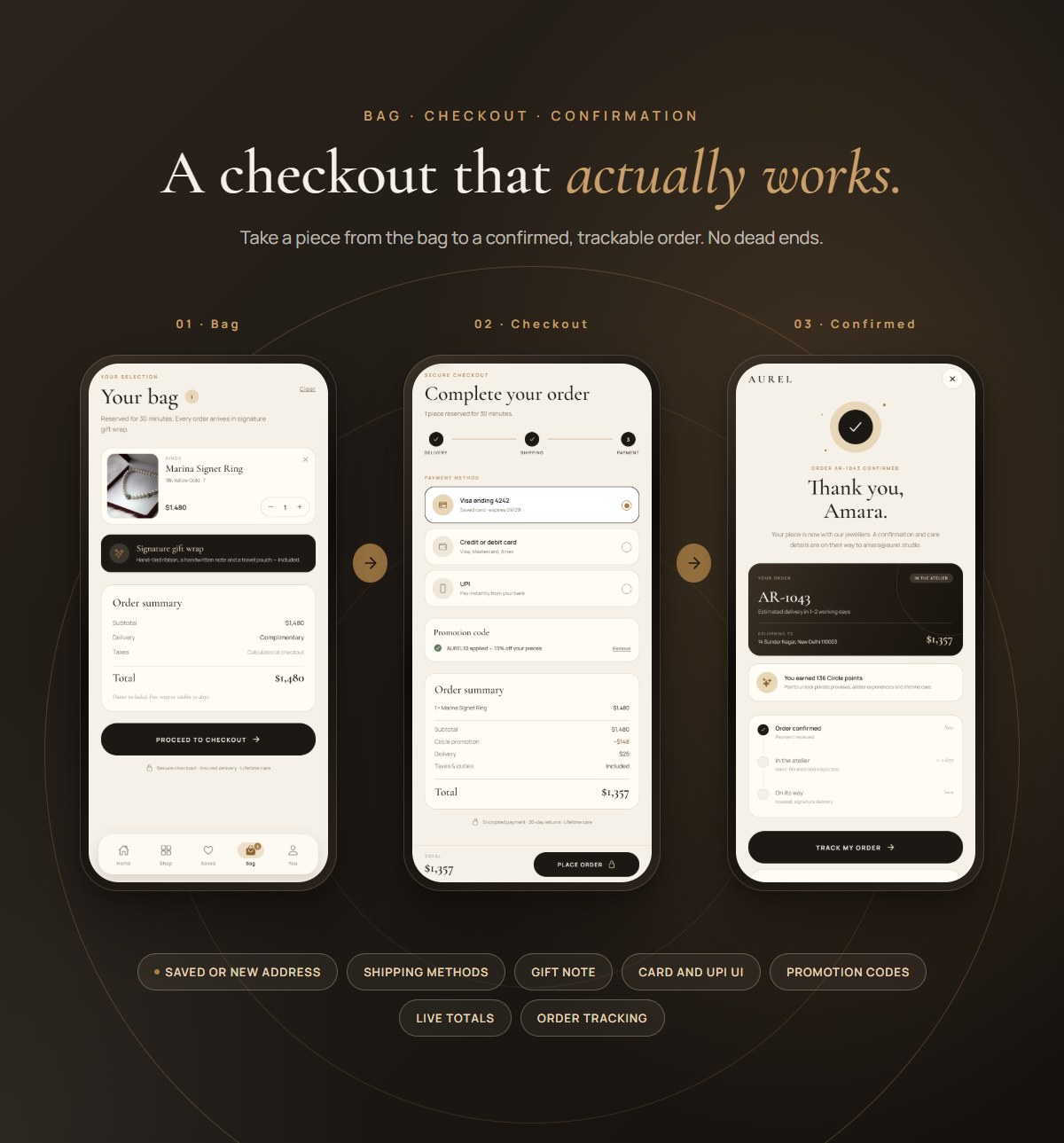
- Three-step checkout with saved or new address, shipping methods, gift note, card and UPI payment UI, promotion code and order creation
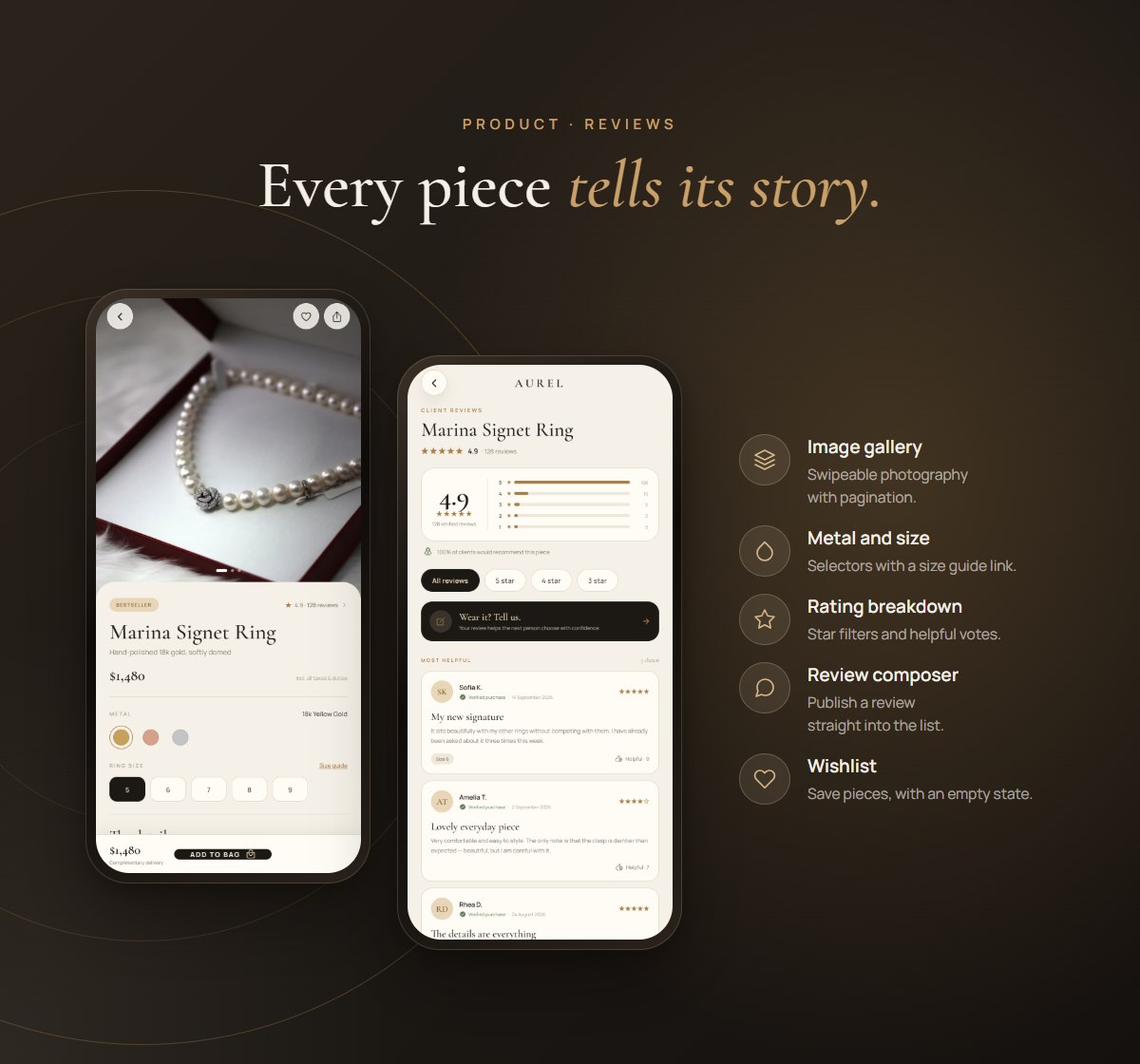
- Working review flow with rating breakdown, star filters, helpful votes and a publishable review composer
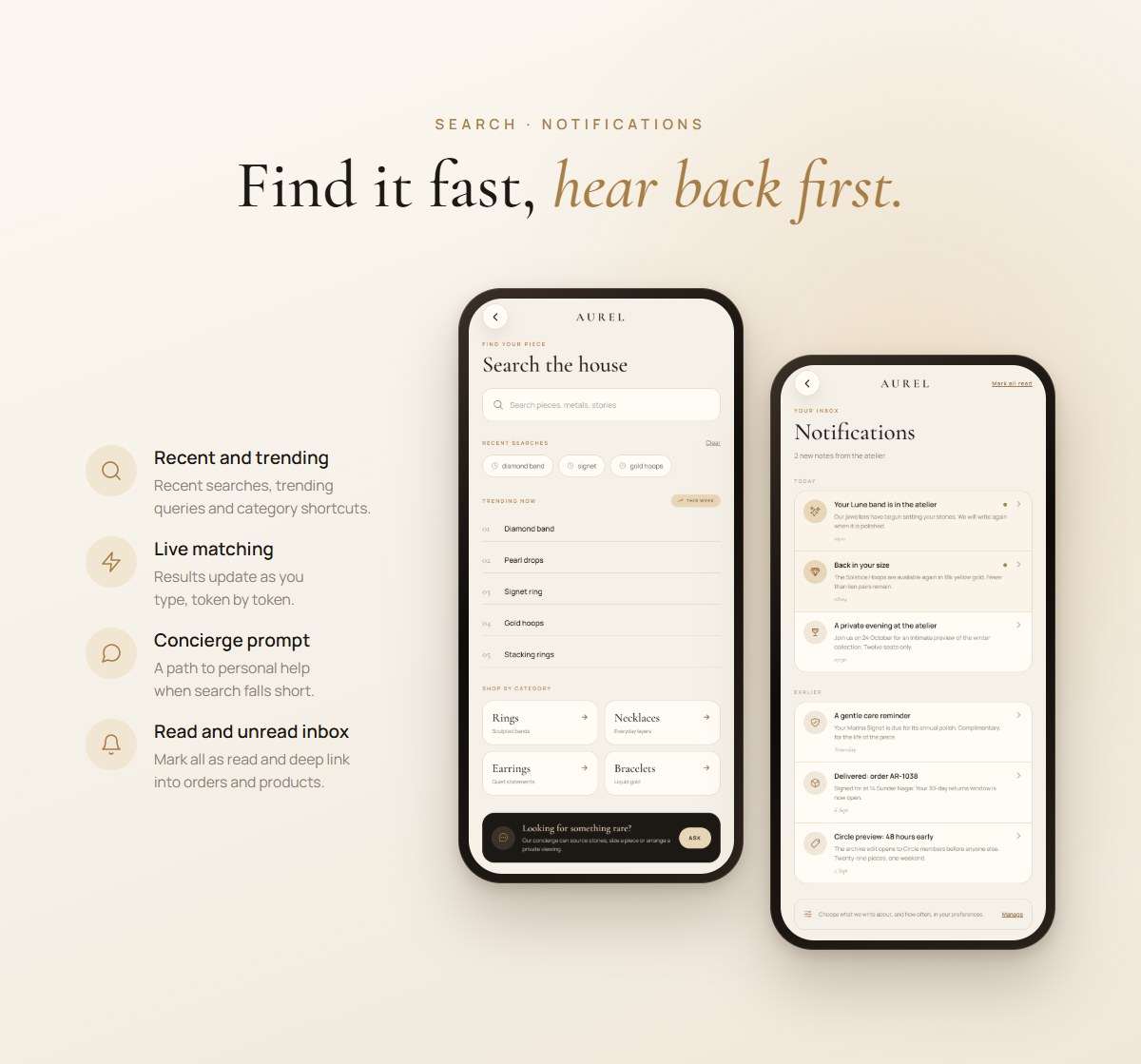
- Search experience with recent searches, trending queries, category shortcuts and live token matching
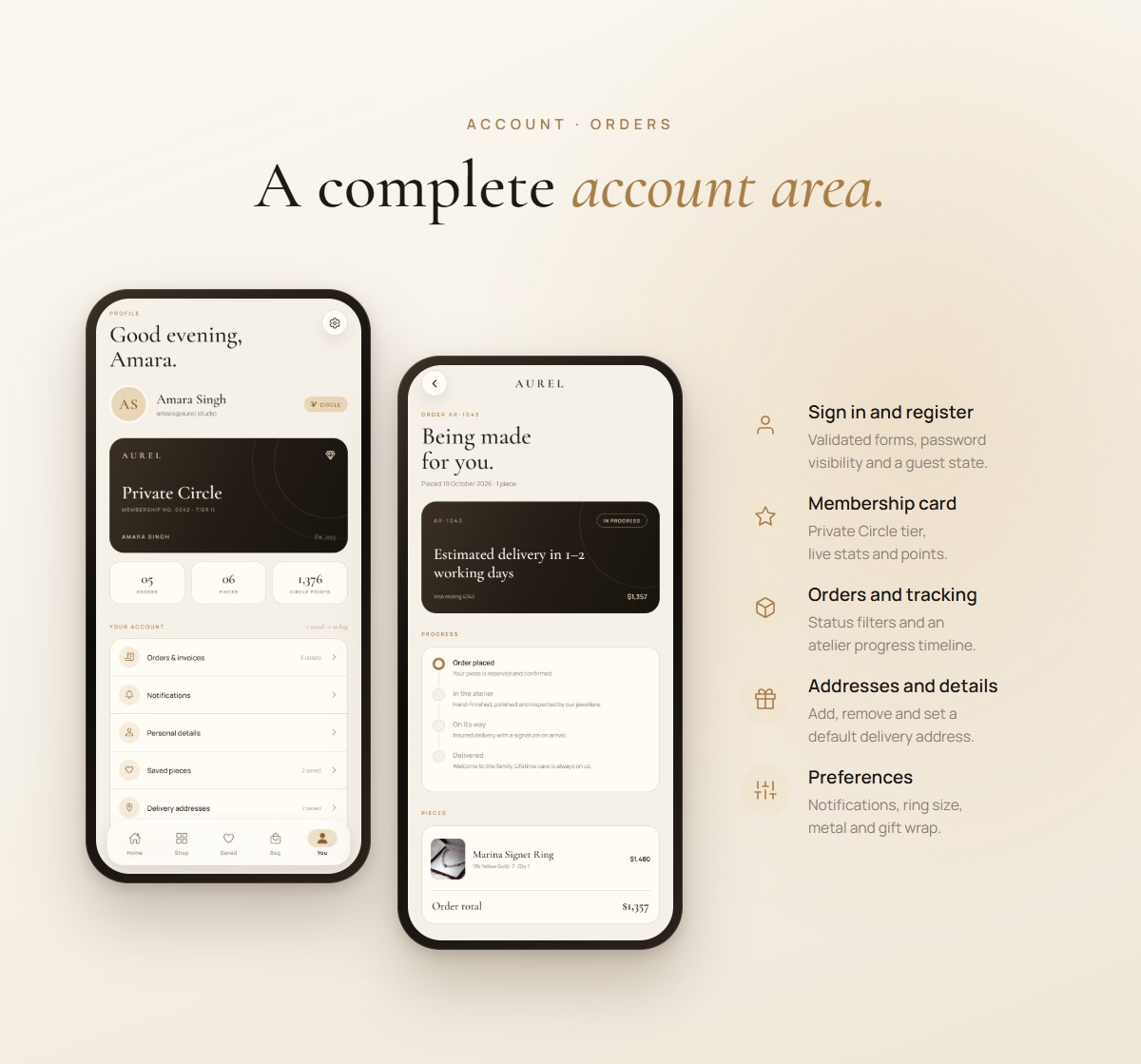
- Account area with sign in, registration, orders, order detail, profile editing and saved addresses
- Notifications inbox with read/unread states and deep links into orders and products
- Preferences for notification categories, ring size, metal, gift wrap and haptics
- Client care with concierge links, appointment request, FAQs, jewelry size charts and five policy pages
- Premium design system with champagne and ivory tokens, Cormorant Garamond + Manrope and a floating blurred tab bar
- Motion and haptics for entrance reveals, press feedback, toasts and add-to-bag actions
- Responsive across iOS, Android and web
- Strict TypeScript and an Expo SDK 57 dependency set
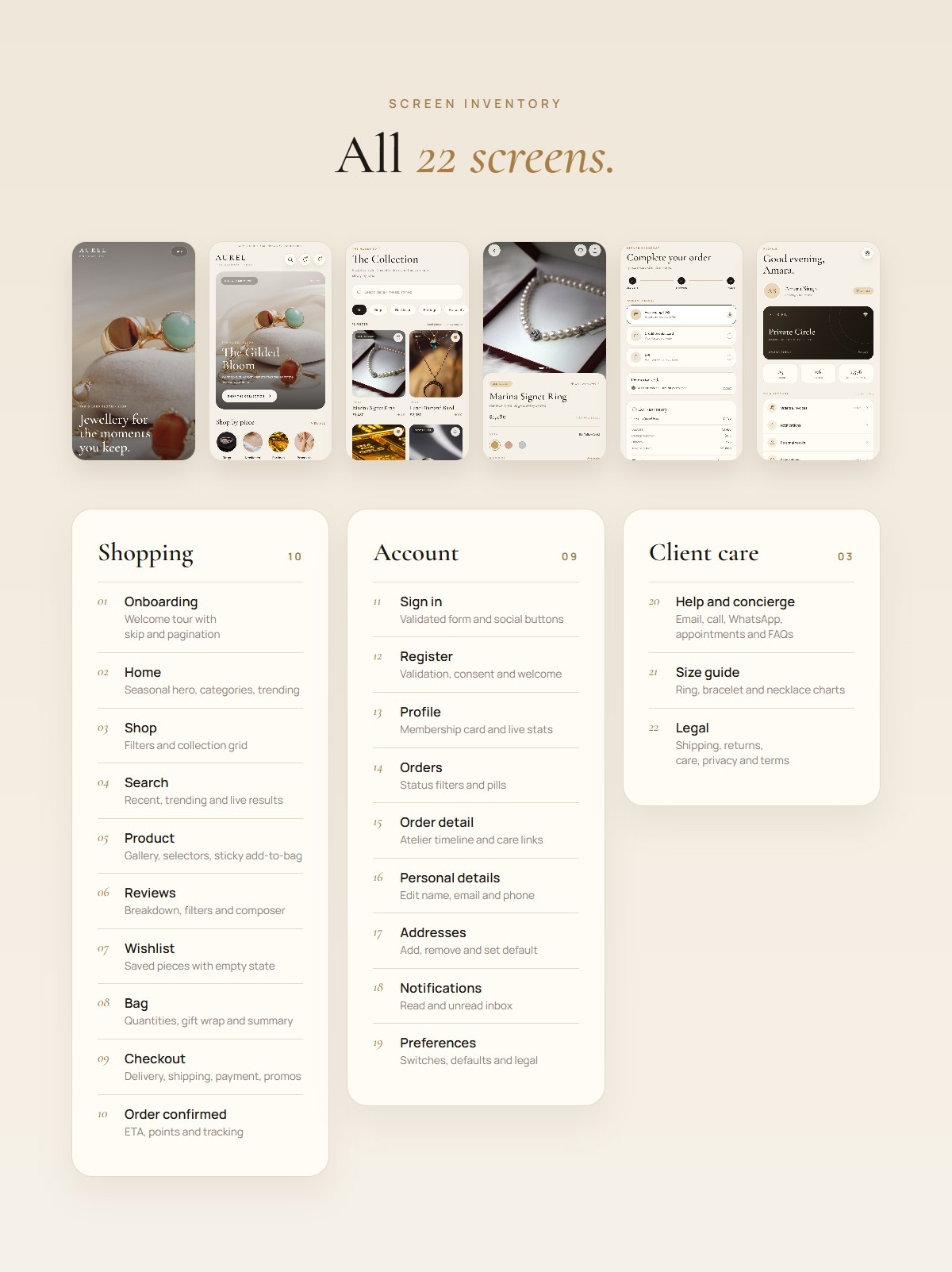
All 22 screens
Shopping
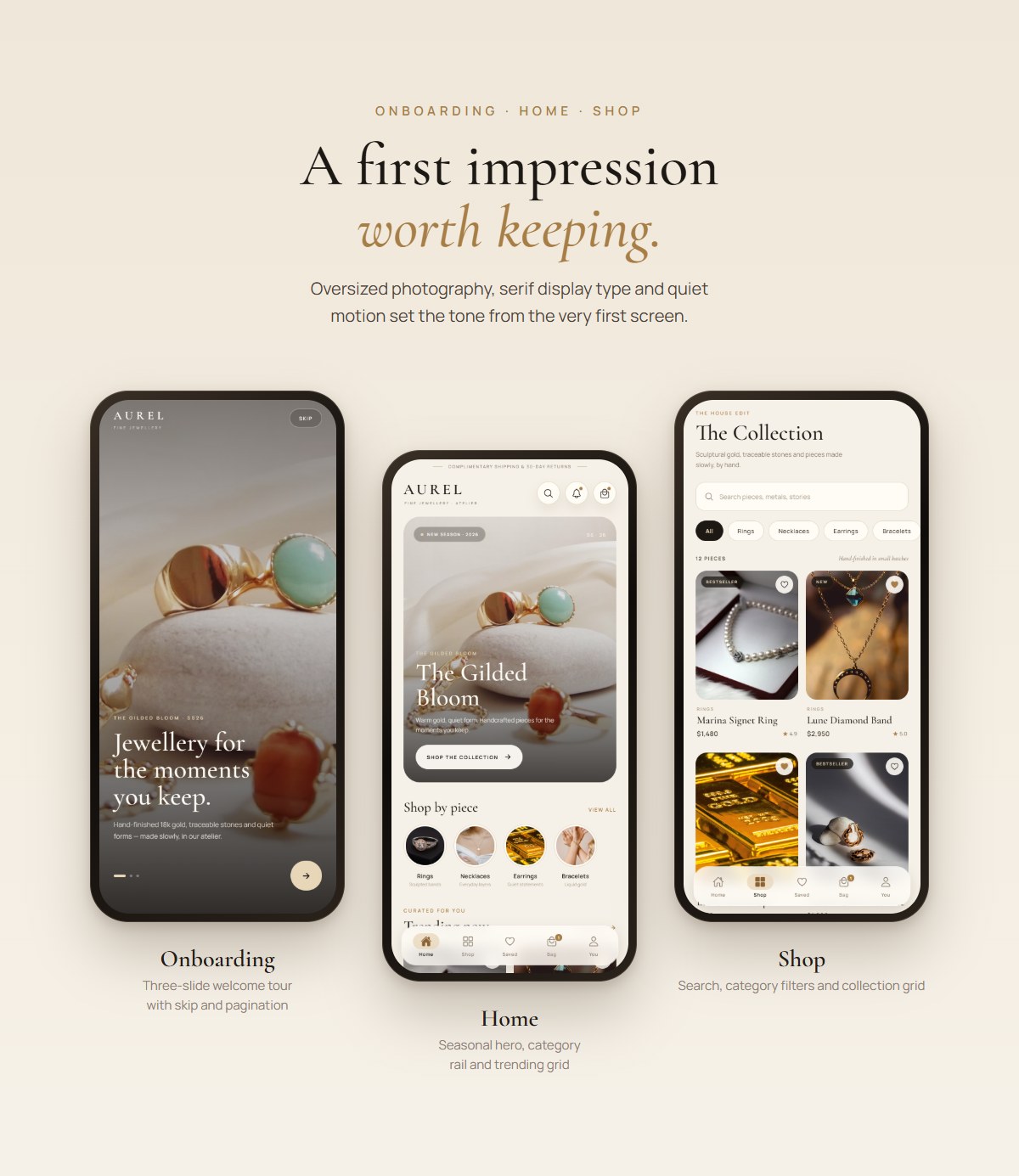
- Onboarding — three-slide welcome tour with skip and pagination
- Home — seasonal hero, category rail, trending grid and atelier editorial
- Shop — search, category filters and collection grid
- Search — recent and trending searches, categories, live results and concierge prompt
- Product — gallery, metal and size selectors, details, review summary and sticky add-to-bag
- Reviews — rating breakdown, filters, verified reviews and composer
- Wishlist — saved pieces with empty state
- Bag — quantity controls, gift wrap, order summary and checkout entry
- Checkout — delivery, shipping, gift note, payment, promotions and totals
- Order confirmed — confirmation, ETA, Circle points and tracking actions
Account
- Sign in — validated form, password visibility and demo social buttons
- Register — name, email and password validation, consent and welcome flow
- Profile — membership card, live stats, account menu and guest state
- Orders — status filters, pieces, totals and status pills
- Order detail — atelier timeline, pieces, delivery, payment, gift note and care links
- Personal details — editable name, email and phone
- Addresses — add, remove, default and manage delivery addresses
- Notifications — read/unread inbox with deep links
- Preferences — notification switches, shopping defaults and legal links
Client care
- Help & concierge — email, call, WhatsApp, appointment request, FAQ accordion and policy links
- Size guide — ring, bracelet and necklace charts with measuring instructions
- Legal — shipping, returns, care, privacy and terms
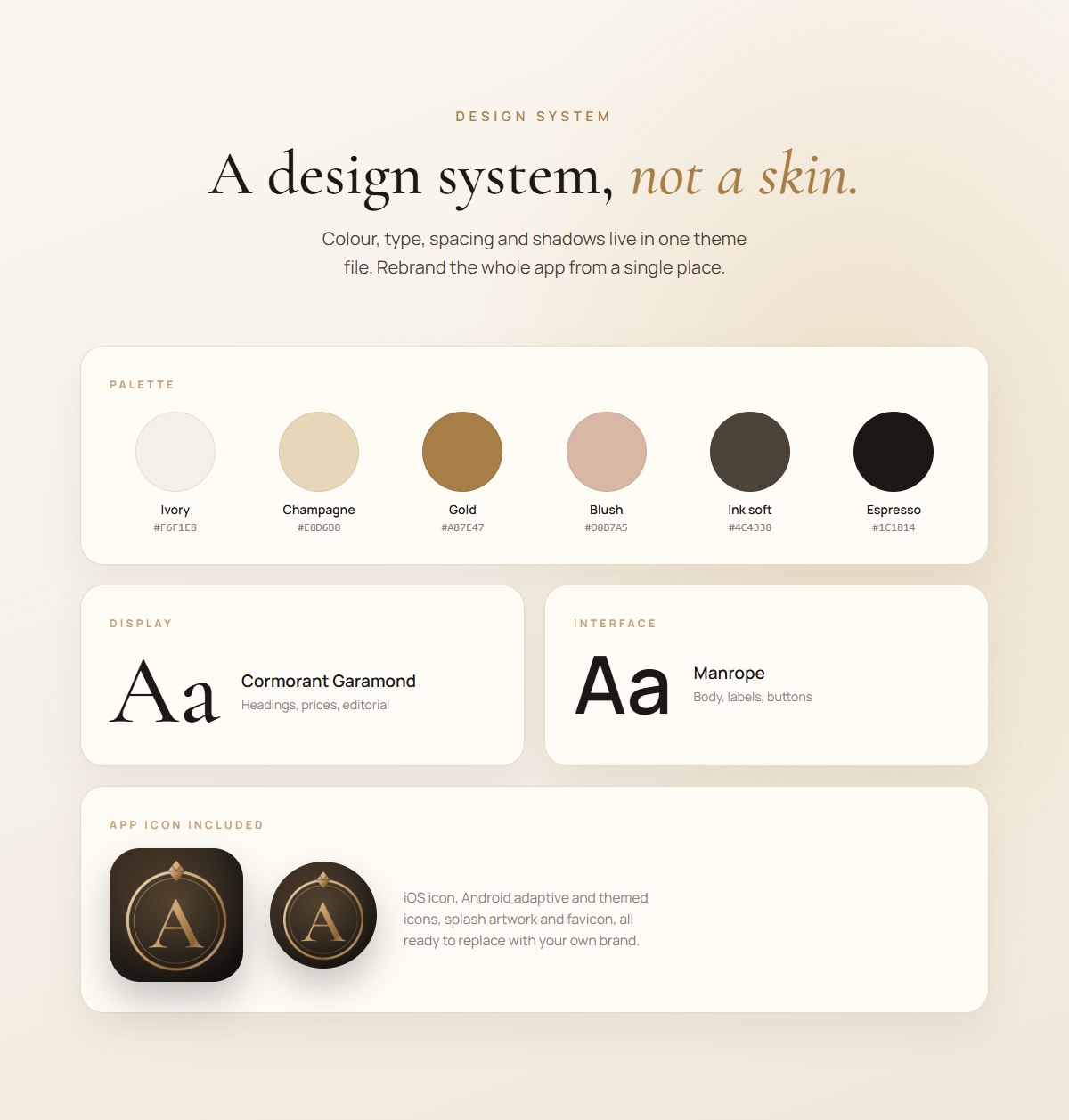
Easy to customise
The project is intentionally simple to rebrand. Colours, type, spacing and currency live in src/theme.ts; products are in src/data/products.ts; FAQs, notifications, size charts and policies are in src/data/content.ts; screens are self-contained in src/screens. Full instructions are included in the documentation.
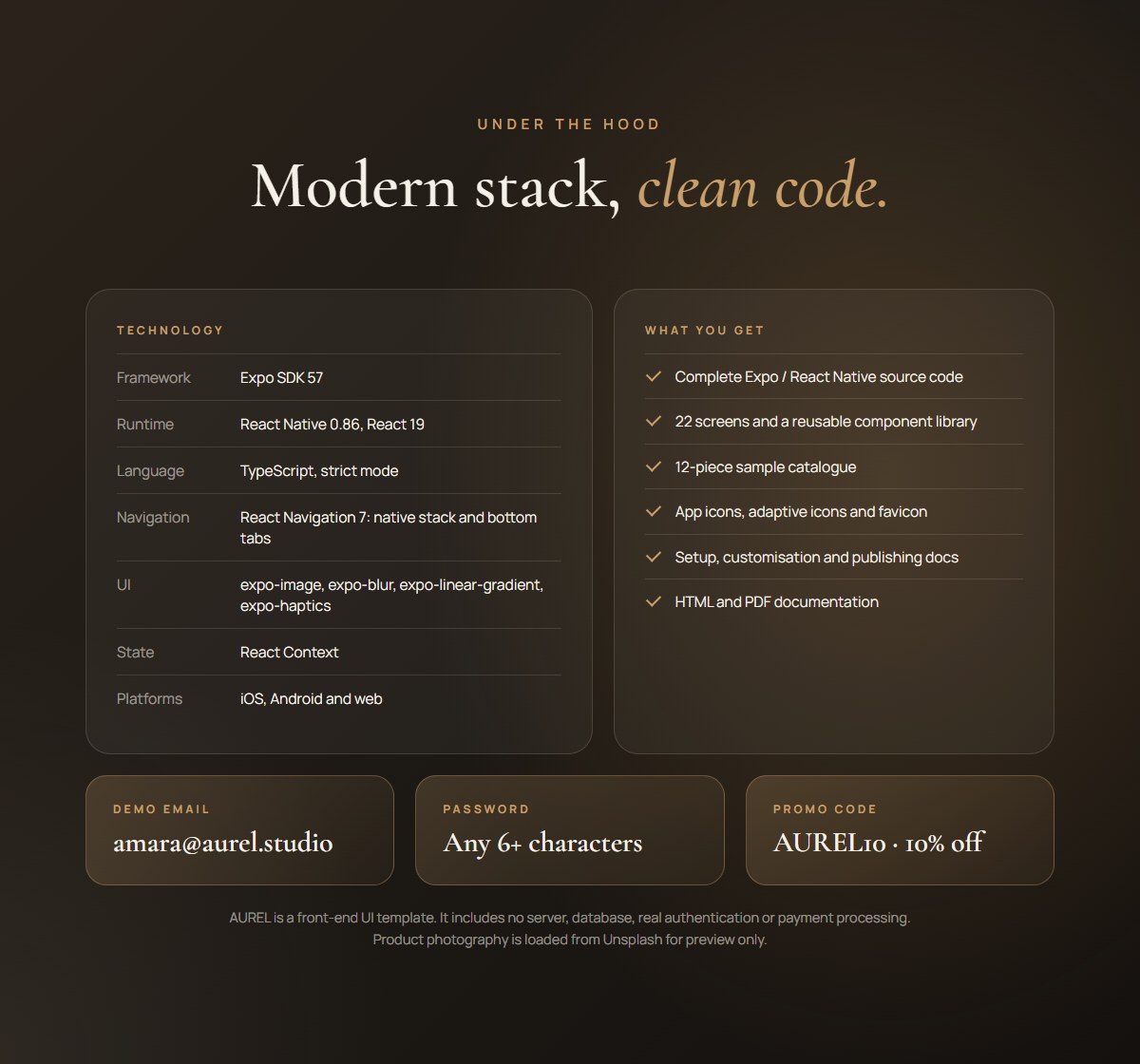
Technology
- Framework: Expo SDK 57 (57.0.30)
- Runtime: React Native 0.86.3, React 19.2.3
- Language: TypeScript, strict mode
- Navigation: React Navigation 7 — native stack + bottom tabs
- UI libraries: expo-image, expo-blur, expo-linear-gradient, expo-haptics, expo-font, @expo/vector-icons
- Fonts: Cormorant Garamond + Manrope via @expo-google-fonts
- Platforms: iOS, Android, Web
- State: React Context (no backend)
What you get
- Complete Expo / React Native source code
- 22 screens and a reusable component library
- 12-piece sample catalogue and editorial photography URLs
- App icons, adaptive icons and favicon
- Setup, customisation and publishing documentation (HTML and PDF)
Requirements
- Node.js 20 or newer and npm
- Expo Go compatible with SDK 57, an emulator/simulator, or a modern browser
- Internet access for package install and the sample remote images
Publishing to the stores
AUREL runs instantly in Expo Go, a simulator or the browser at no cost. When you are ready to ship, the documentation walks you through building with Expo EAS Build.
Please note: EAS Build is an external, third-party, paid service operated by Expo. It is NOT included with this purchase. Using EAS Build requires your own Expo account and is subject to Expo’s own pricing and terms. Any EAS subscription fees or per-build charges are paid by you directly to Expo and are entirely separate from the price of this item. EAS Build is optional: you can build locally for free with Android Studio and Xcode instead.
Important notes
AUREL is a front-end UI template, not a production commerce platform. It has no server, database, real authentication or payment processing. Bag, wishlist, account, orders and preferences are held in memory and reset on reload. Demo card and UPI fields are never transmitted.
- Placeholder imagery is not licensed for your use and is not part of this purchase. The sample product photos are loaded from Unsplash for demo and preview purposes only. You must replace them with your own images before publishing, and swapping them takes just a few edits in src/data/products.ts. The buyer is solely responsible for obtaining the rights to, and paying any licensing fees or other costs for, any imagery used in their final product. The author makes no claim to the placeholder images and grants no license to them.
- All brand names, reviews, order data, policies and copy are fictional demo content. Have legal pages reviewed for your market.
- Store builds require your own bundle identifiers, payment provider, privacy policy and backend integration.
- Expo configuration for EAS (eas.json) is not included.
Disclaimer: third-party services and placeholder content
No third-party services are included with this purchase. This item is the source code of the app only. Any external services you choose to use with it, such as Expo’s EAS Build service, are provided by third parties under their own accounts, pricing and terms. Expo EAS Build is a paid, external platform and is not included in, bundled with, or covered by the price of this item. Any costs you incur with Expo or any other third-party service are your responsibility.
Placeholder imagery is not included in the license for this item. All sample photographs shown in the demo and screenshots are placeholders for preview only. The buyer is responsible for any licensing fees, royalties or other costs related to the placeholder imagery, and for replacing it with properly licensed imagery before releasing their app. The author accepts no liability for the buyer’s use of placeholder images.
In the generation of the assets of some banners, assets, and some help in documentation AI has been used.
Support
The documentation covers installation, running on web, iOS and Android, project structure, customisation, building and troubleshooting. For item support, contact info@geekspark.in with your Expo and Node versions, platform, steps to reproduce and any terminal output.
Author: GeekSpark
Envato profile: codecanyon.net/user/geekspark
Changelog
1.0.0 — 19 October 2026
Initial release: 22 screens, three-step checkout, reviews, search, notifications, preferences, size guide, policies and order tracking. Expo SDK 57, strict TypeScript.
Reviews
This item is sold on CodeCanyon, where buyers rate and review it. Read or write reviews on CodeCanyon.
License & support
Regular license: use the product in one end product that your users are not charged for, such as a company site or an internal tool.
Both include future updates and 6 months of support for bugs and installation questions. Customisation is quoted separately, ask us. Read the full terms and refund policy.
More from GeekSpark
View all
Similar Mobile Apps

CodeCanyon